Bridge Your Elite Square to
Any FTMS Trainer
The Elite Square is Elite's smart bike frame with integrated virtual shifting and handlebar buttons. SquareLink gives it real-time BLE control, smart gear mapping, and a live power zone dashboard.
SquareLink isn't downloadable yet. Leave your email and we'll tell you the day it is.
Great Hardware. Frustrating Experience.
The Elite Square has incredible hardware — dual shift levers and 20 buttons built into your handlebars. But using them with third-party trainers and apps? That's where things fall apart.
Unreliable Trainer Integration
The built-in shifting to third-party trainers is hit or miss. Connections drop mid-ride, commands lag, and your KICKR or Tacx often just stops responding.
Dropped Connections
Bluetooth handoffs between the Square, your trainer, and Zwift are unreliable. Devices fight for the connection.
No Live Data Overlay
No power zones, no gear indicator, no real-time HUD. You're riding blind when you switch to third-party apps.
SquareLink fixes all of this. One app. Zero hassle.
Preconfigured for Zwift, Rouvy & MyWhoosh
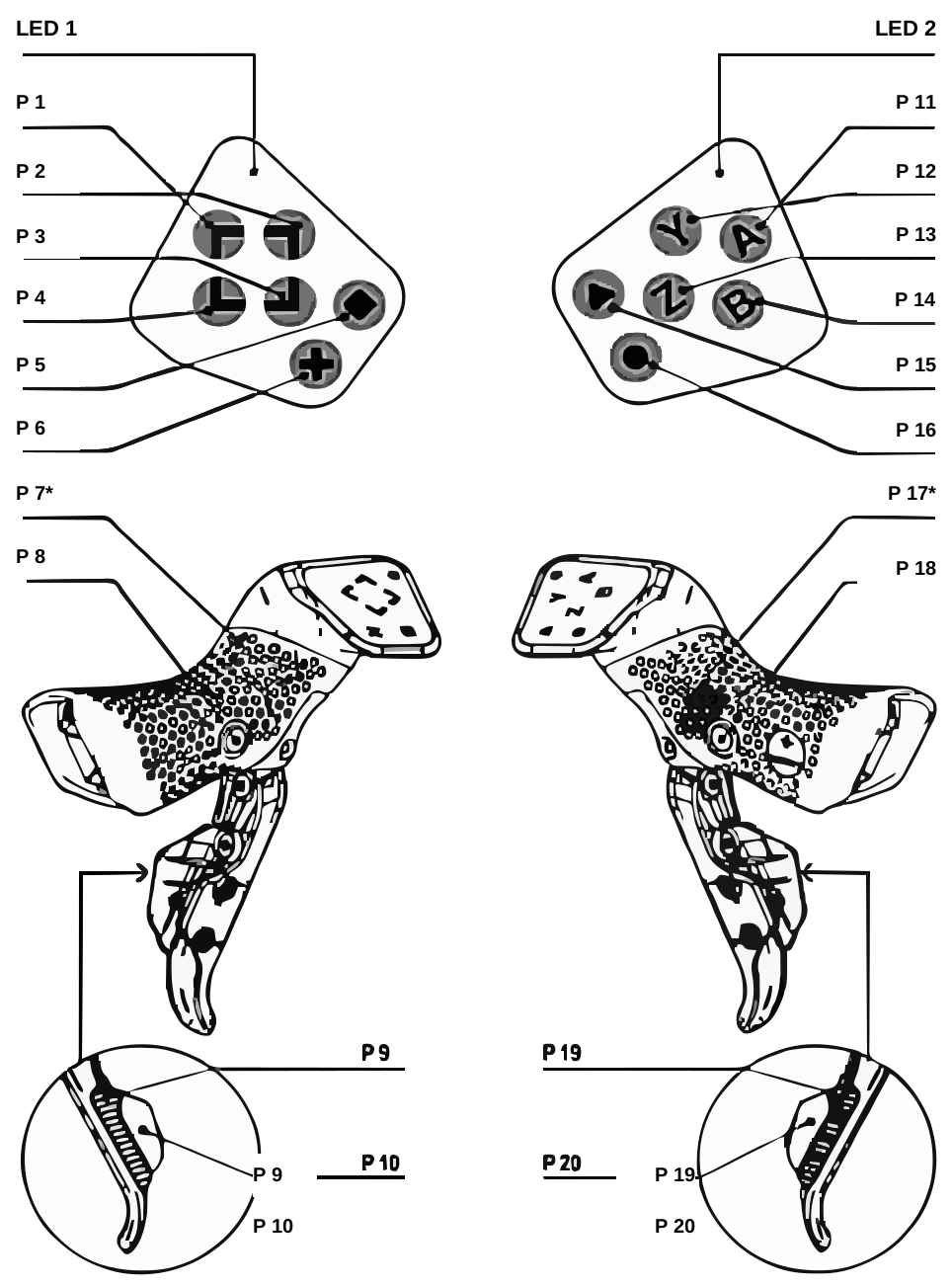
The Elite Square controller has 20 buttons and dual shift levers built into your handlebars. SquareLink is the missing software layer that maps every single one to your trainer — power targets, virtual gears, app commands, all of it.
- Left & right shift levers for intuitive gear changes
- 20 mappable buttons — power, gears, app shortcuts
- Works with any FTMS trainer: Wahoo KICKR, Tacx, JetBlack
Everything You Need to
Ride Smarter
SquareLink bridges the gap between the Elite Square smart bike frame and modern FTMS smart trainers, giving you full control over your indoor training.
Real-time BLE Bridge
SquareLink creates a persistent Bluetooth bridge between your Elite Square and any FTMS trainer. No connection juggling, no dropped signals — just rock-solid communication.
Smart Gear Mapping
Map all 20 buttons with drag-and-drop. Choose from 7 drivetrain presets (Shimano 105, SRAM AXS, and more) or build a custom cassette. Includes profiles for Zwift, Rouvy, and MyWhoosh.
Dual Training Modes
ERG mode for fixed-wattage workouts. SIM bridge mode for real-time shifting through Zwift, Rouvy, or MyWhoosh. Speaks native KICKR protocol for zero-lag response.
Power Zone Dashboard
Always-on-top HUD with 7 FTP-based power zones, live watts, cadence, and gear indicator. Click-through and draggable — never blocks your app.
Works with Popular Apps
Exposes your trainer to Zwift, Rouvy, MyWhoosh, and any FTMS-compatible app via Dircon protocol. mDNS auto-discovery means zero manual network setup.
Fully Offline & Private
No internet required, no data collection, no telemetry. SquareLink runs entirely on your machine over local Bluetooth.
See SquareLink in Action
A clean desktop app designed for riders, not engineers.

Always-On Power Overlay
PIN mode puts a click-through HUD right on your screen. See power zone, watts, and gear without leaving Zwift or Rouvy.
- Adjustable opacity & size
- Click-through mode
- Draggable positioning
- Color-coded power zones

Drag-and-Drop Button Mapping
See your entire controller on screen. Drag actions onto any of the 20 buttons.
- Visual controller schematic
- 100+ assignable actions
- Per-app presets
- Save & switch profiles

Simple Settings, Full Control
Set your FTP, pick a drivetrain, choose ERG or SIM mode, and ride.
- 7 drivetrain presets or custom
- FTP-based power zones
- ERG / SIM mode toggle
- Auto-connect on launch
Compatible With the Apps
You Already Use
SquareLink bridges your Elite Square to your trainer via Dircon protocol, then exposes it to any compatible cycling app on your network.
Works with any FTMS-compatible trainer including Wahoo KICKR, Elite, Tacx, JetBlack, and more.
Zwift, Rouvy, and MyWhoosh are trademarks of their respective owners. SquareLink is an independent product and is not endorsed by or affiliated with these companies.
Up and Running in Three Steps
No complicated setup. No accounts. No internet. Connect your devices, tweak a few settings, and start riding in under two minutes.
Configure
Pick a drivetrain preset (or build your own), set your FTP, and choose ERG or SIM mode. That's the entire setup.
Ride
Start pedaling. SquareLink bridges your shifting in real-time to the trainer — whether standalone or through Zwift.
Be First to Ride It
SquareLink is in the final stretch before release. Join the list and you'll get the download link the moment it goes live.
Free to use. One-time purchase to unlock Bridge mode.